Product Demo
Map BDRs to AE Territories
Published July 4, 2025 by BoogieBoard Bot · Updated June 10, 2026
How do you map BDR coverage to AE territories?
How do you map BDR coverage to AE territories?
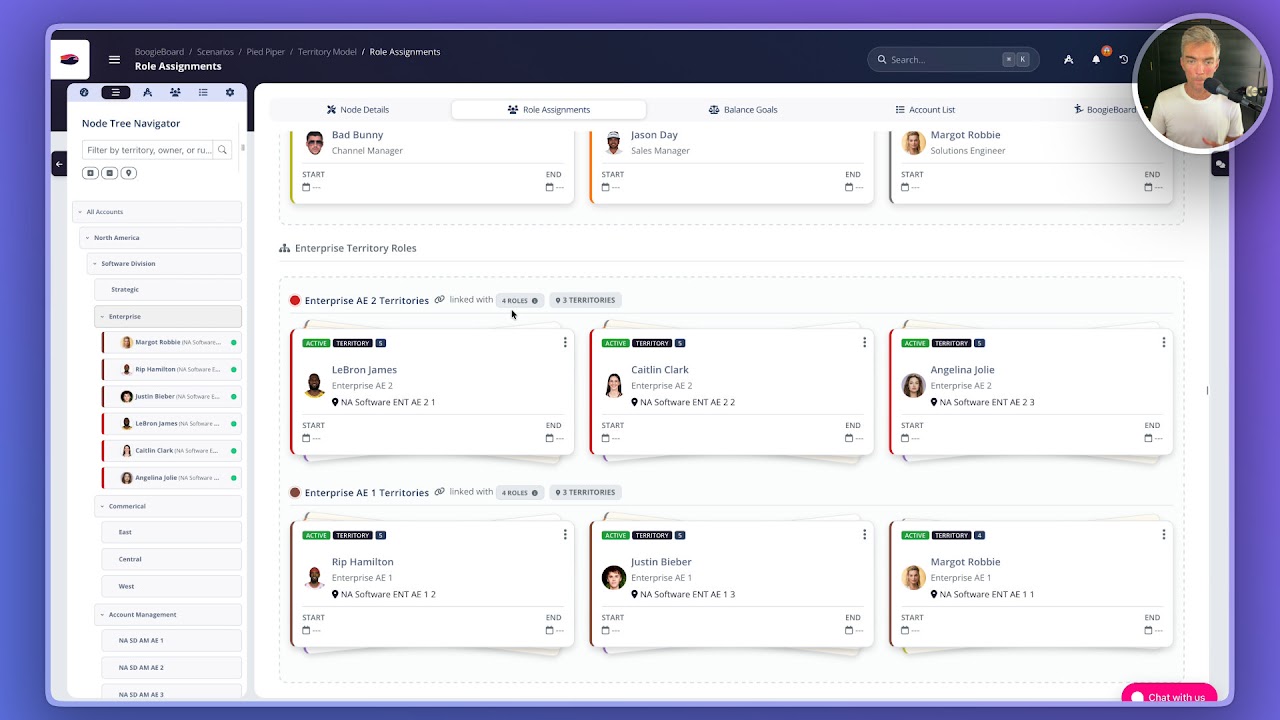
BDR coverage often works as a pod, not a one-to-one ownership model. In this example, one BDR supports multiple AE territories at a 3:1 ratio.
BoogieBoard models that by attaching the BDR as a supporting role on each AE territory. The AE remains the account owner, while the BDR is mapped across the accounts in the territories they support.
When the assignments move into Salesforce, the BDR can be written into a custom field, included in the BoogieBoard territory object, or associated through Salesforce native territory management.
That makes BDR podding explicit in the territory model instead of buried in a spreadsheet or handled as manual CRM cleanup.
Transcript
Map Business Development representatives to AE territories using Boogie Board. This could also be referred to as podding. I've got my enterprise AE2 territories listed here. see I've got three that fit this role. I've also got some other Enterprise AE territories, but we're gonna focus on the AE level 2 today. The reason for that is because our BDRs support a 3 to 1 AE to BDR ratio. So if I click into LeBron James territory, I can see that it's not just LeBron being assigned as the account owner to this territory. There are some supporting roles as well. Roger Federer is designed as the Business Development representative, so he's going to be allocated to all of LeBron's accounts. I've also got some other roles which are inherited from higher level nodes. If I look at the rest of the AE2 team, I can see that Caitlin Clark also has Roger assigned as the bdr and Angelina also has Roger assigned as the bdr.
If I look at three accounts coming from Boogie Board into Salesforce for assignment one in each territory, Prudential is associated with Angelina, waste management with LeBron, and Charles Schwab with Caitlin Clark, I can see that Roger is mapped as the BDR to all of those accounts and all of his permissions and visibility are taken care of. Looking at the Waste Management example, I've got LeBron as the account owner. I've got Roger coming into a custom field here as the bdr. I don't have to do that if I don't want to. I also have the entire team associated coming into the Boogie Board custom object. Or I could write directly to the Salesforce Native territory object. You can see the users in assigned territories. Roger is listed as the bdr. If I were to look at the Prudential, I got the same setup. Angelina as the account owner, Roger as the bdr, and he's contained in the Territory team. Same thing is going on with Charles Schwab. So you can easily map business development or other auxiliary roles directly to territories using Boogie Board.
Watch more BoogieBoard product demos on YouTube.